First Launch & Configuration

After downloading and installing Zeta Agent, on first launch you need to configure the AI model. Zeta Agent supports models compatible with OpenAI and Anthropic interfaces.

  • Click the settings icon in the lower left corner to open the settings panel
  • In the "Model" option, click "Select Model"
  • Click "Add Model" to fill in the API Key and related configurations
  • After saving the configuration, you can start using it
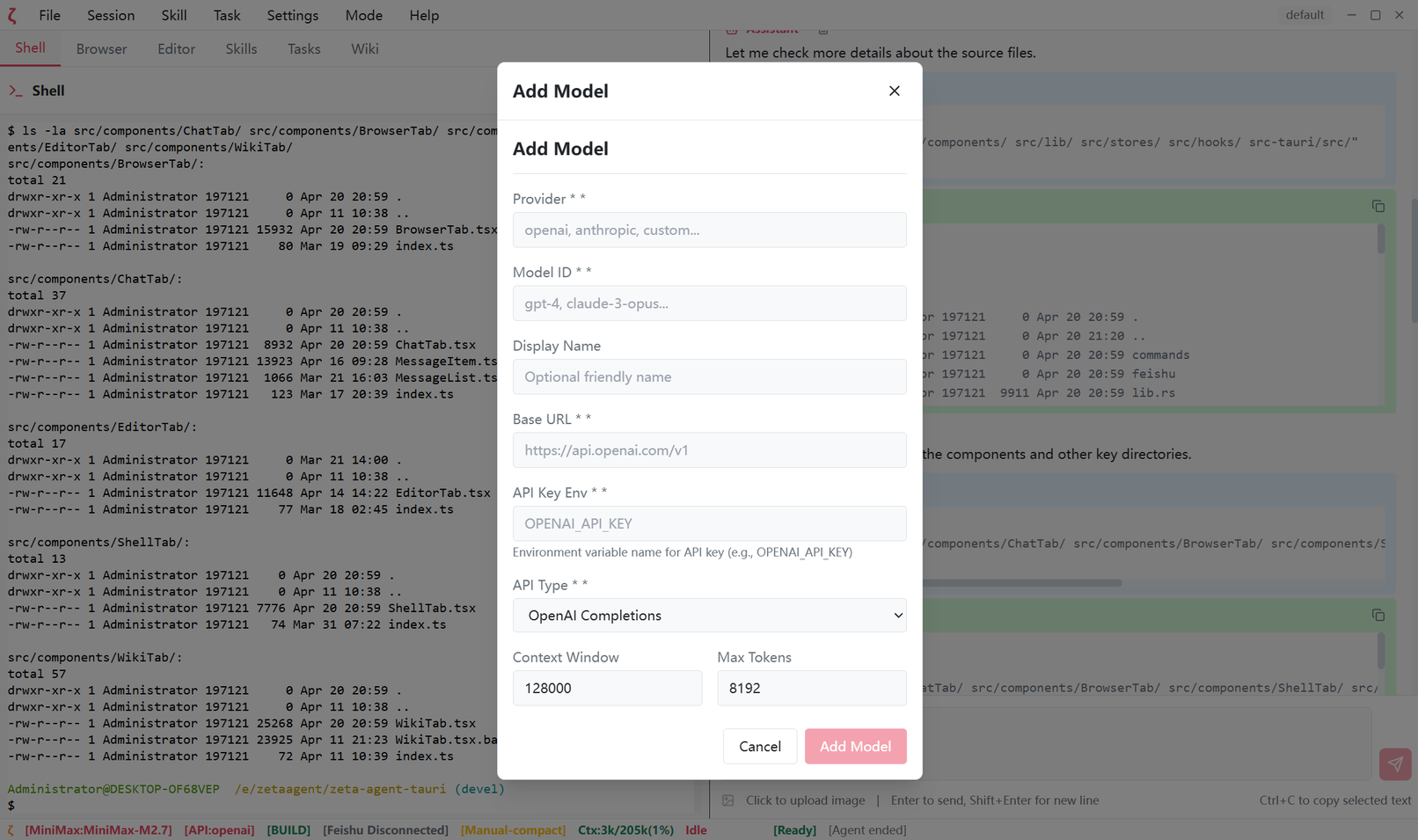
Model Configuration Interface

Start Chatting

After configuration, you can chat with AI on the main interface. Zeta Agent provides an intuitive chat interface with Markdown rendering, code highlighting, and other features.

  • Enter your questions or requests in the input box at the bottom
  • Press Enter to send the message, Shift + Enter for a new line
  • AI responds in real-time with streaming output support
  • You can copy AI responses or save them as PDF
Chat Interface

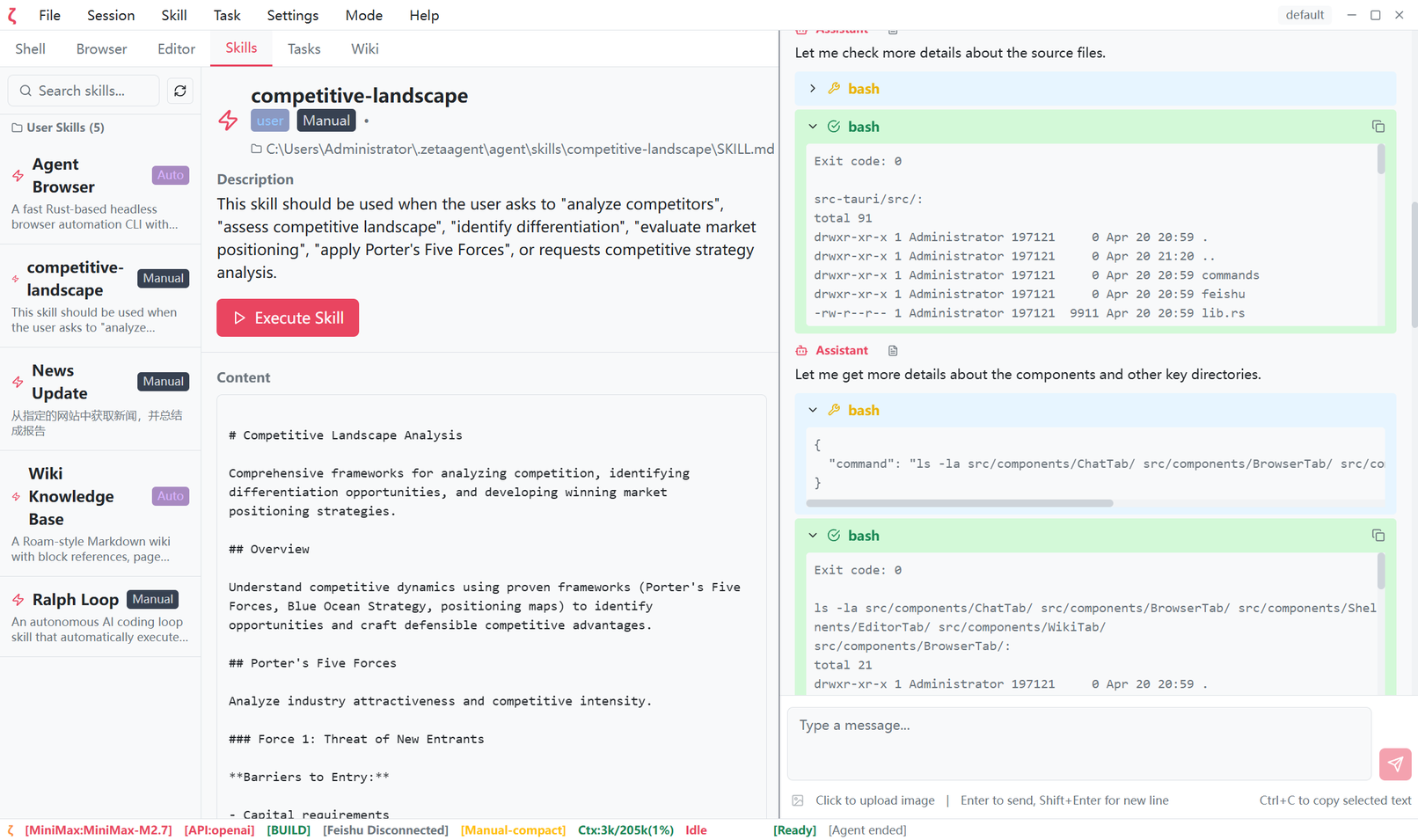
Using Skills

Zeta Agent provides a rich set of pre-built skills to help you complete various specific tasks. Each skill is an AI prompt optimized for specific scenarios.

  • Click the "Skills" tab at the top to enter the Skills Center
  • Browse or search for the skills you need
  • Click on a skill card to view details
  • Click the "Execute" button to use the skill
Skills Center

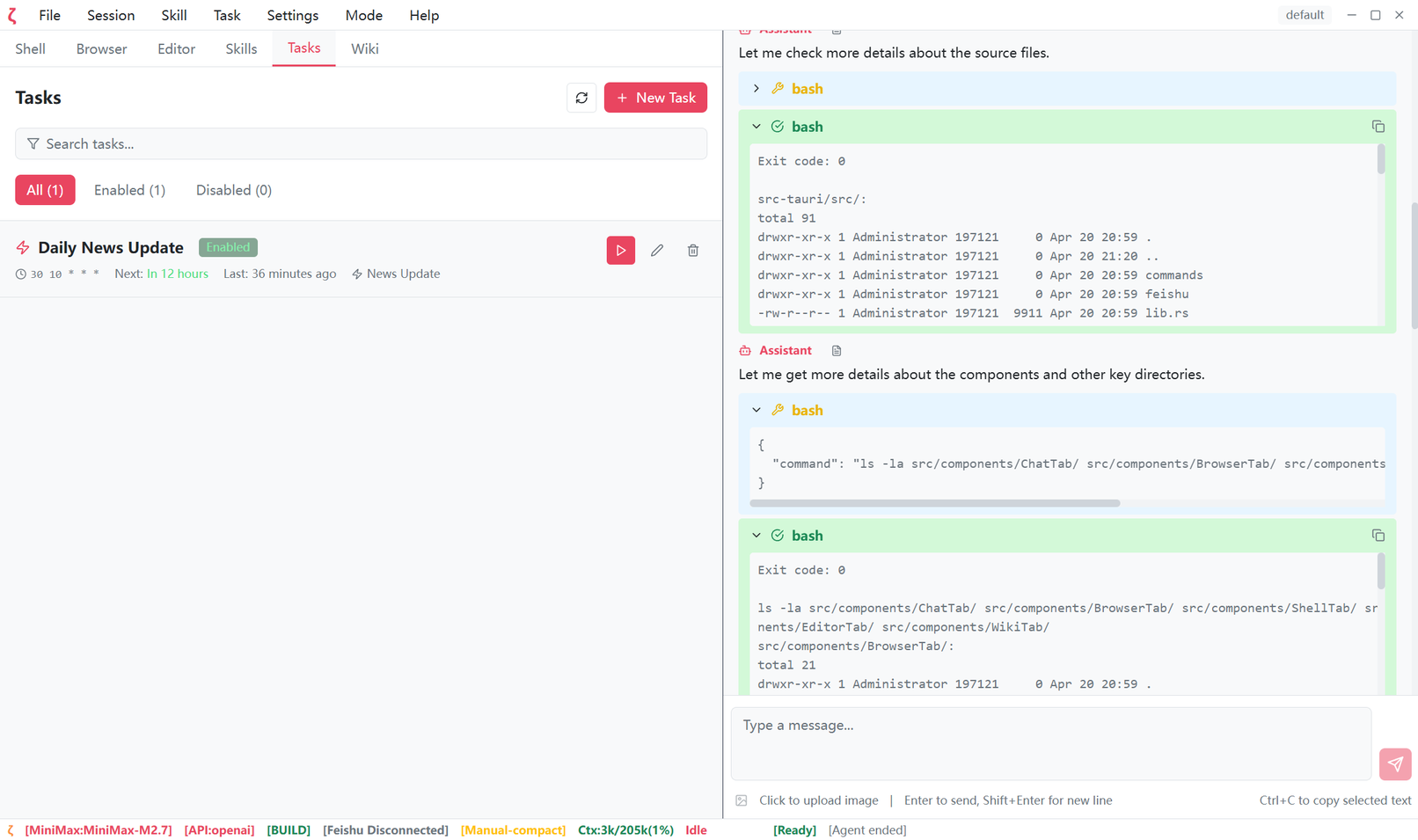
Scheduled Tasks

Zeta Agent supports scheduled task functionality, allowing you to set AI to regularly execute specific tasks such as daily report generation, data aggregation, etc.

  • Click the "Tasks" tab at the top to enter Task Management
  • Click "New Task" to create a new task
  • Set the task's execution time and frequency (Cron expression)
  • Configure task content and save
Task Management

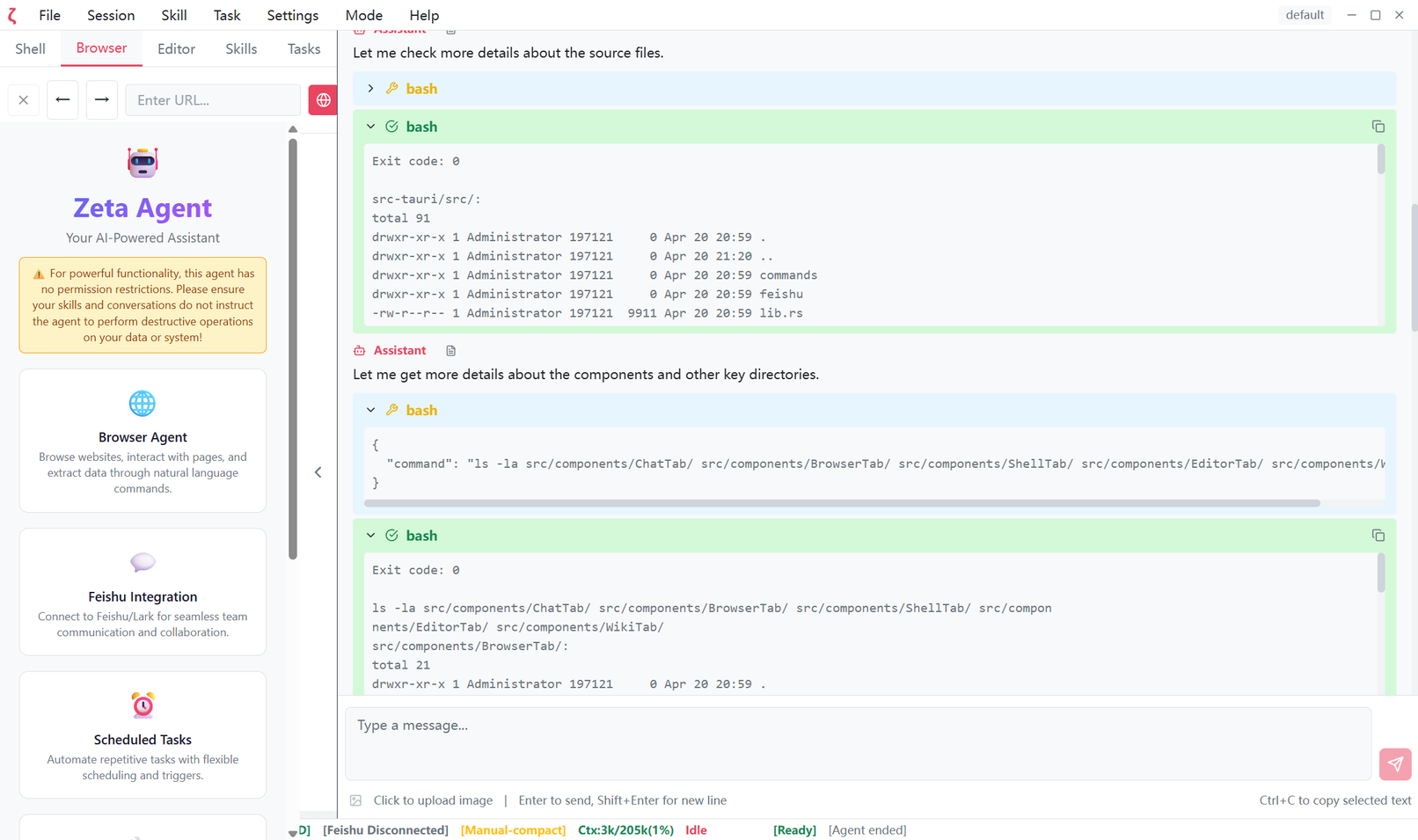
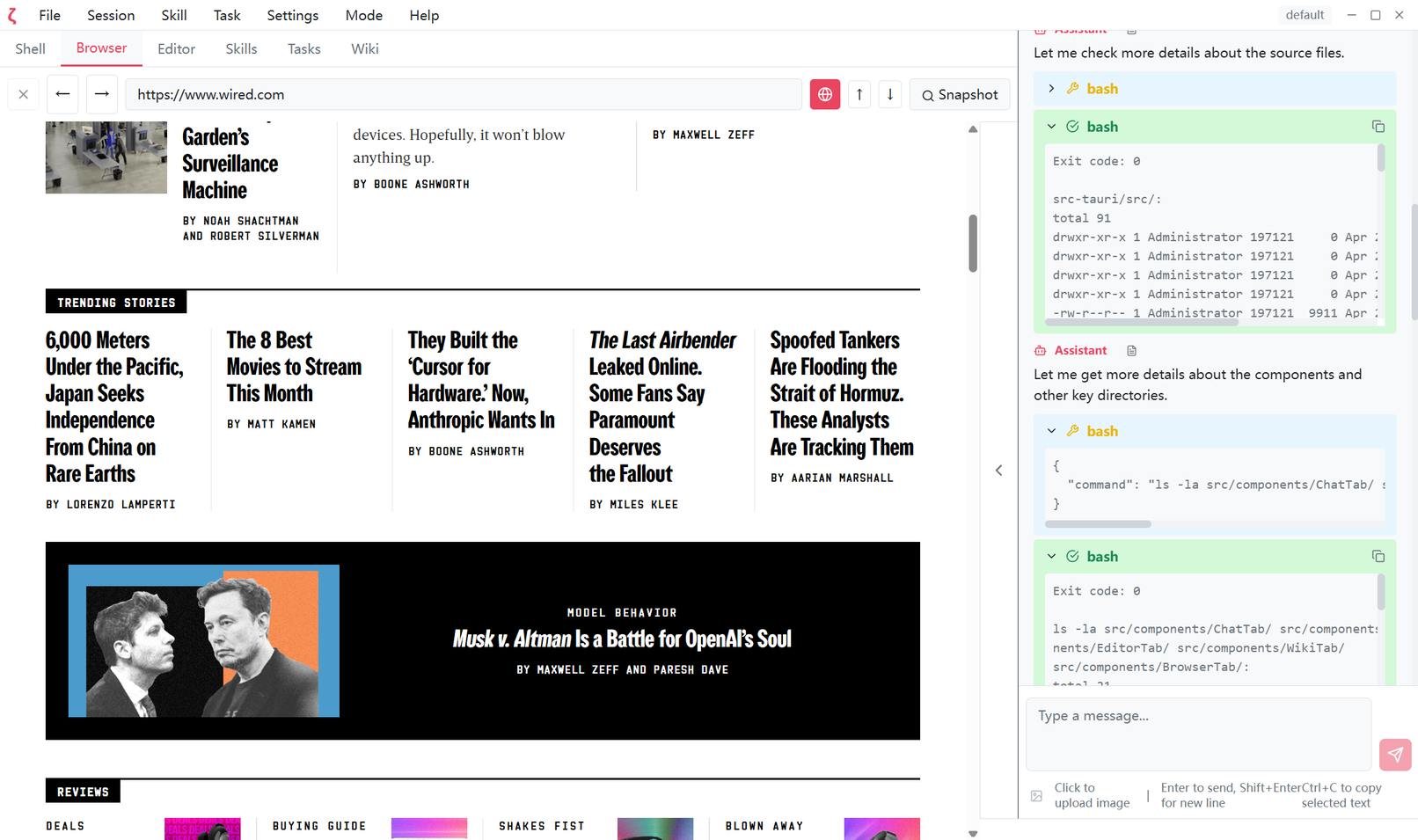
Built-in Browser

Zeta Agent has a built-in browser feature where AI can autonomously browse web pages, click buttons, fill forms, and complete complex web tasks. This gives you an intuitive understanding of Zeta Agent's web browsing capabilities.

  • Click the "Browser" tab at the top to open the built-in browser
  • Enter a URL and click the navigation button to visit the webpage
  • Click "Snapshot" to get interactive elements on the page
  • AI can operate and extract information based on page content
Built-in Browser

Embedded Terminal

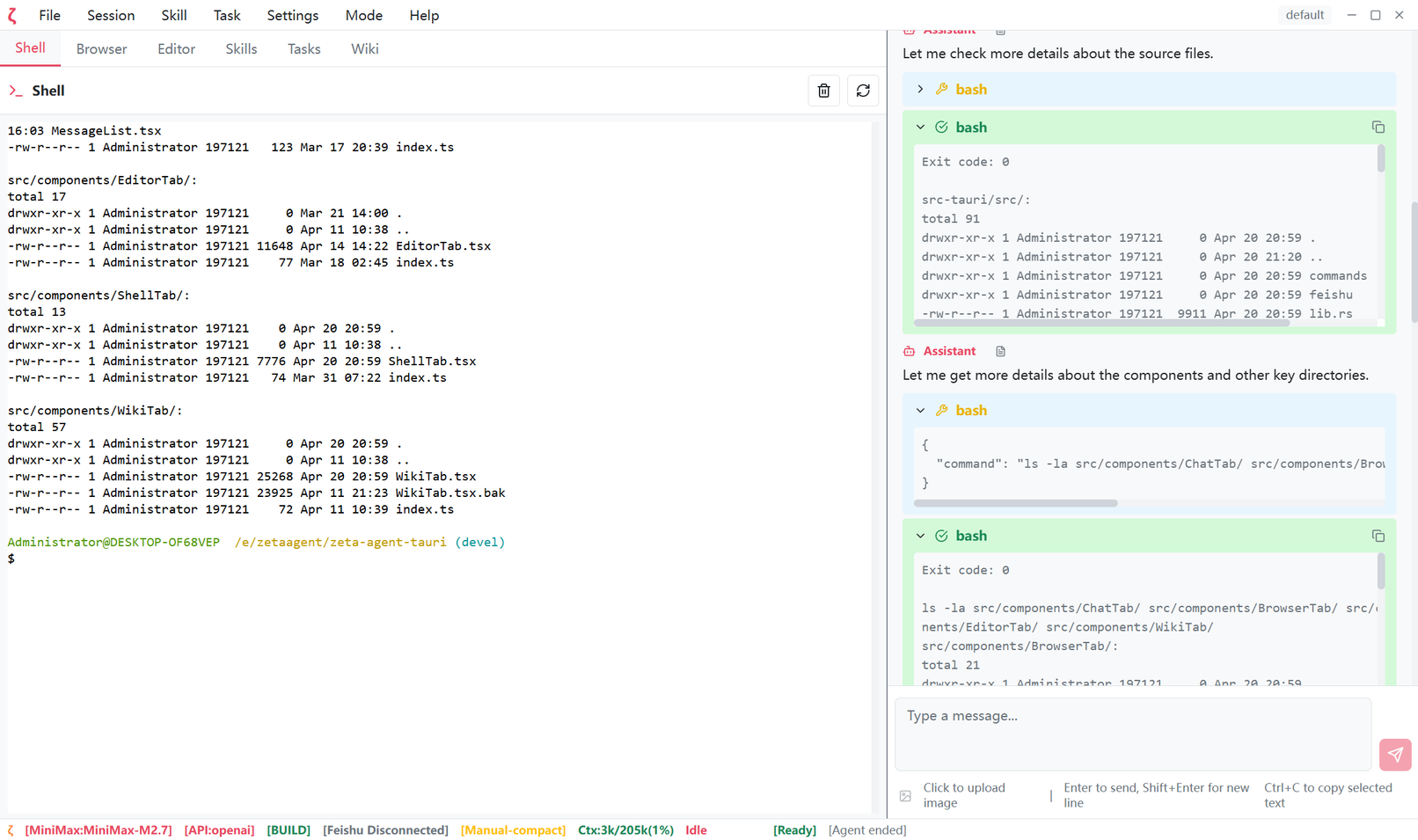
Zeta Agent features an embedded terminal function, allowing you to execute command-line operations without switching windows. AI can directly retrieve terminal output, greatly improving efficiency for automation operations.

  • Seamless Integration - Execute commands directly within Zeta Agent without switching windows
  • Context Sharing - AI directly retrieves terminal output without manual copy-paste
  • Automated Execution - AI can automatically execute commands based on conversation content, improving efficiency
  • Safe & Controllable - Command execution results display in real-time, users can interrupt anytime for confirmation
Embedded Terminal

Session Management

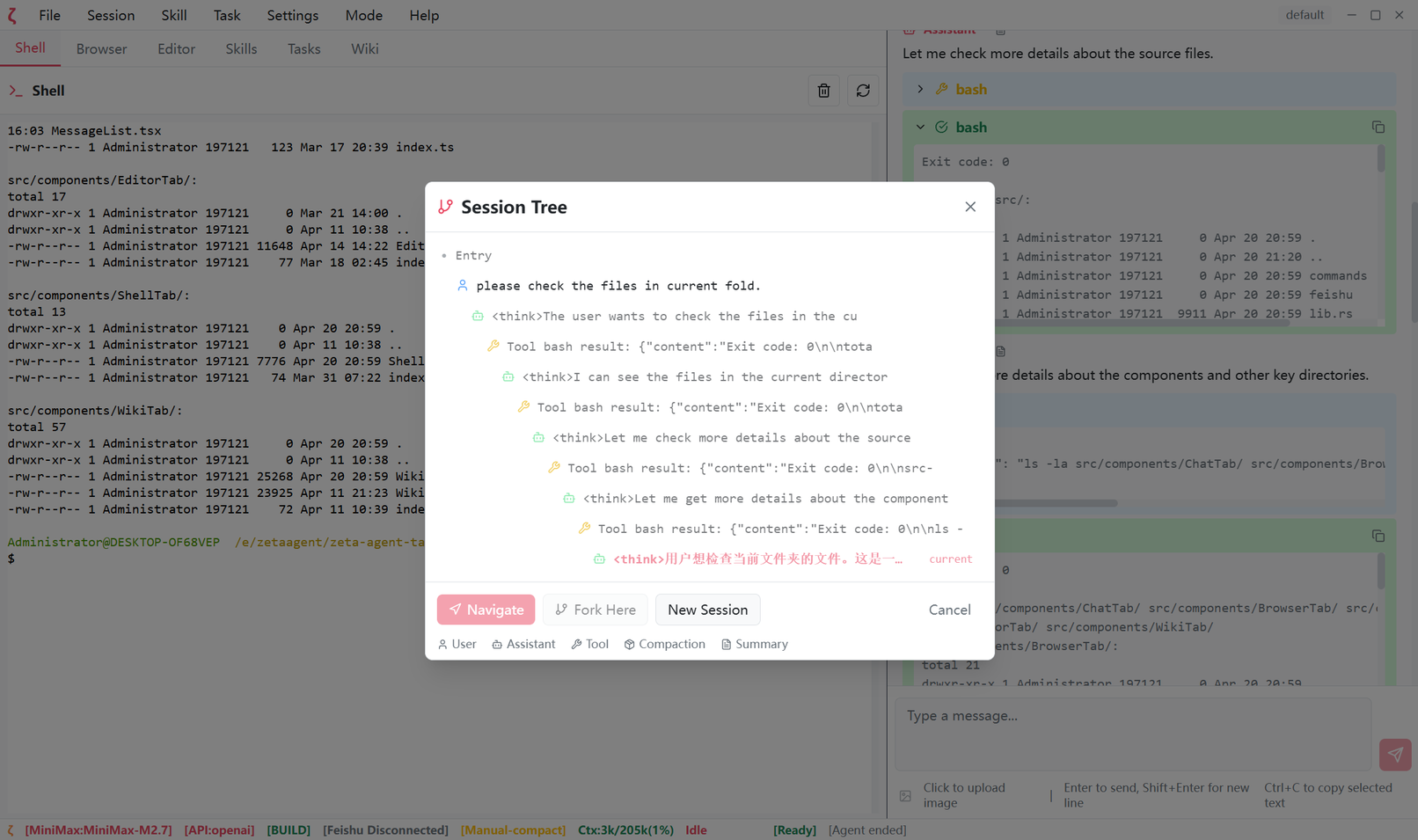
Powerful session management with support for non-linear conversations, intelligent compression, and efficient persistence, making conversation management smarter and more efficient.

  • Non-linear Conversation - Multiple branches coexist, switch anytime while preserving complete history
  • Intelligent Compression - Automatically detect context limits, flexible compression strategy, preserve important information
  • Efficient Persistence - Low-latency incremental writes, JSONL format easy to parse, cross-platform compatible
  • Import/Export - Multiple format export support, version control friendly
Session Management

Built-in Feishu Integration

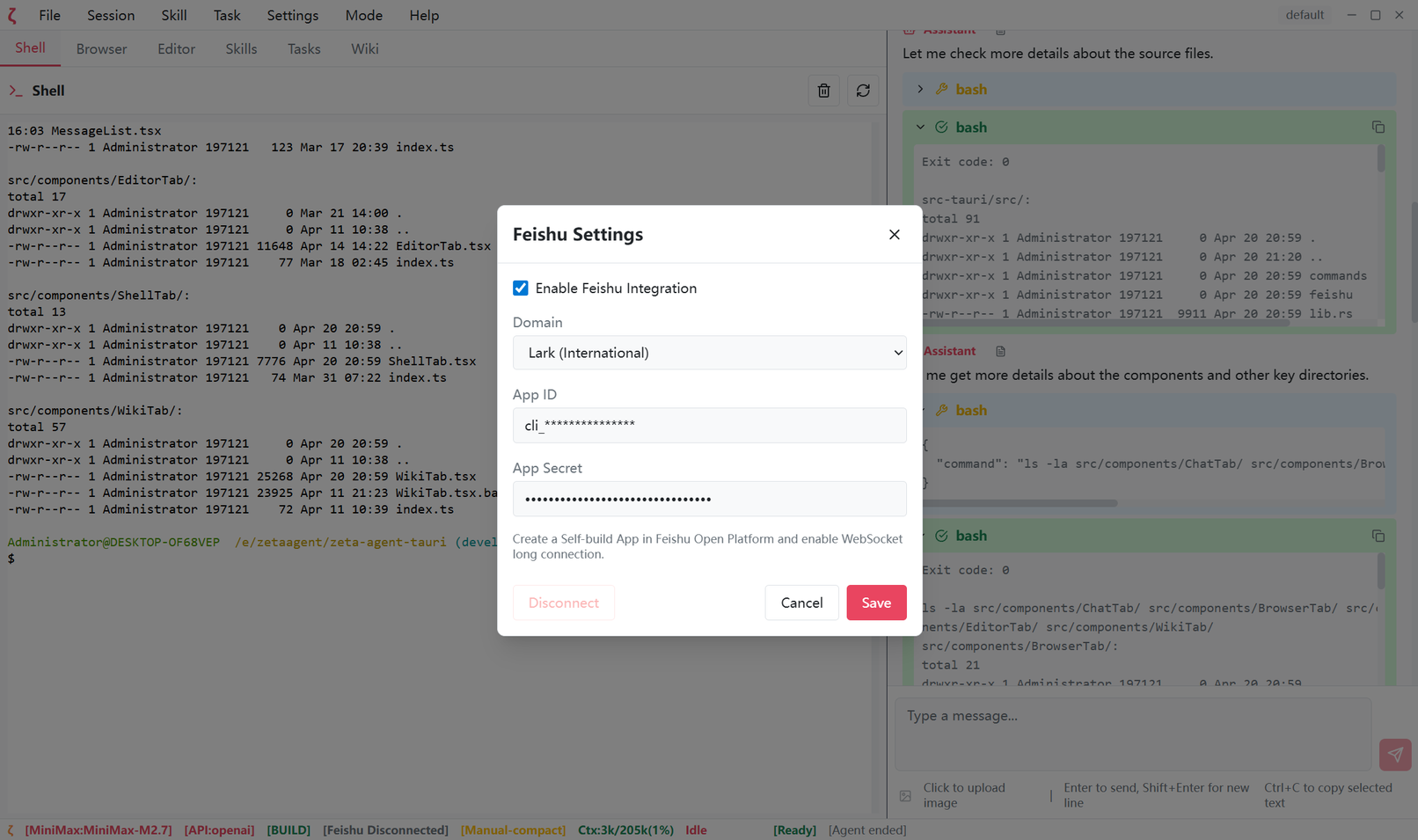
Zeta Agent features built-in Feishu (Lark) integration, allowing you to chat with AI directly in Feishu.

  • Simply set Feishu's API and Secret to use Feishu
  • You can remotely communicate with the desktop Zeta Agent via Feishu
  • Feishu can only see conversations between you and Zeta Agent
  • The Zeta Agent conversation window can see Feishu and Zeta Agent conversations
Feishu Integration

Wiki Knowledge Base

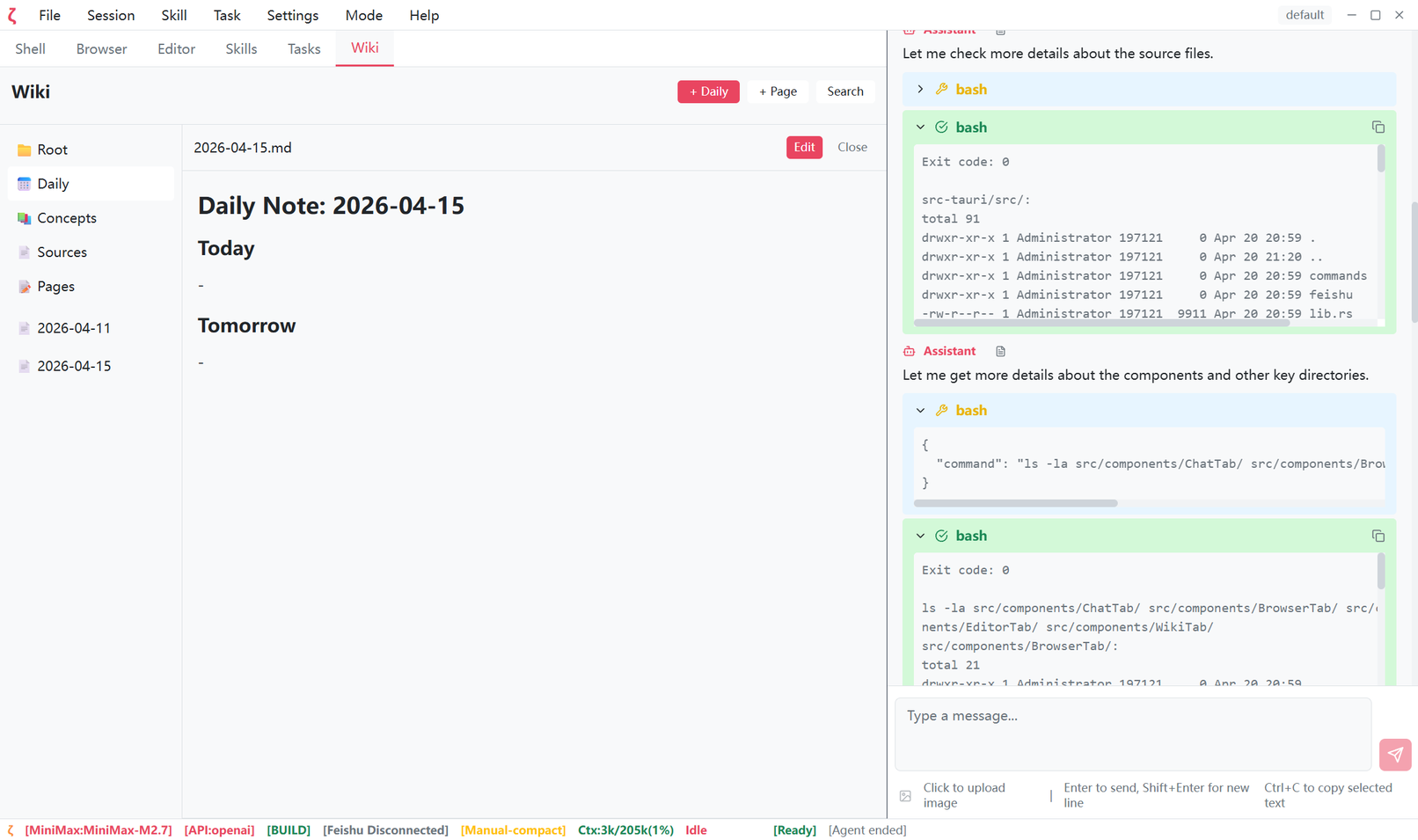
Zeta Agent has a built-in personal Wiki knowledge base system, allowing AI to read, search, and manage your knowledge notes, achieving true personal knowledge augmentation.

  • Bidirectional Linking - Supports block references and backlinks, creating a knowledge network
  • Intelligent Search - Full-text search, quickly locate the content you need
  • Knowledge Ingestion - Supports file import, automatic parsing and integration into knowledge base
  • AI Context Augmentation - AI can directly reference knowledge base content for more accurate answers
Wiki Knowledge Base

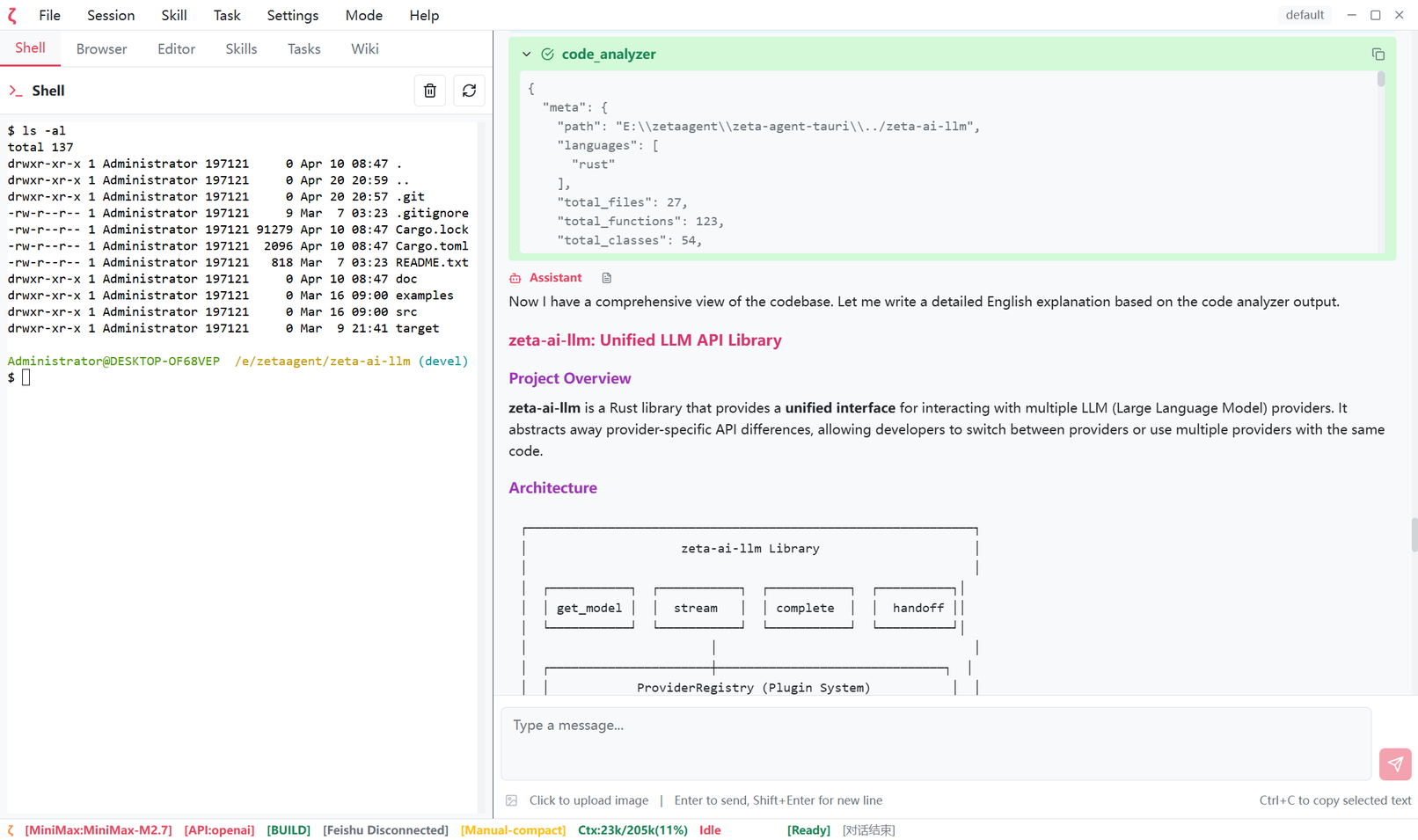
Rocket High-Speed Code Analyzer

Zeta Agent has a Rust-implemented high-speed code analysis engine that can parse code structure at millisecond level, allowing AI to understand your code in seconds.

  • Second Response - Rust implementation, parsing speed far exceeds traditional solutions
  • Complete Structure Analysis - File structure, function definitions, class structures at a glance
  • Call Relationship Graph - Function calls, import relationships visualized
  • Precise Positioning - Quickly find function definitions and reference locations
  • Statistics - Code line count, language distribution and other statistical data
High-Speed Code Analyzer

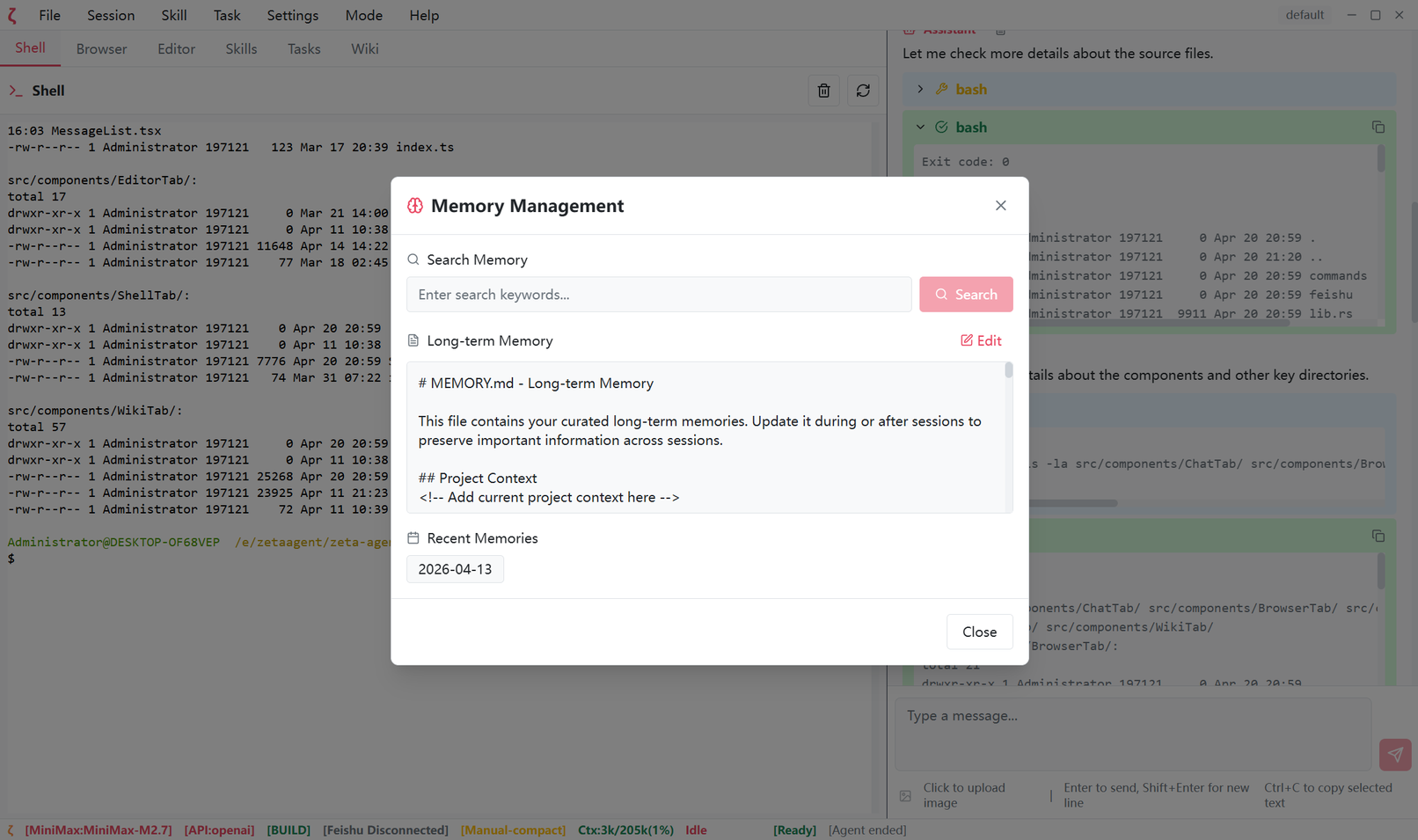
Long-term Memory System

Zeta Agent has powerful long-term memory capabilities, able to remember your preferences, habits, and important information, making every conversation build on understanding.

  • Persistent Memory - Important information saved long-term, maintaining continuity across sessions
  • Intelligent Extraction - AI automatically identifies and remembers key information
  • On-demand Retrieval - Memory automatically integrated into context, no manual input needed
  • Manageable - You can view, edit, and clear memories, fully controllable
Long-term Memory System

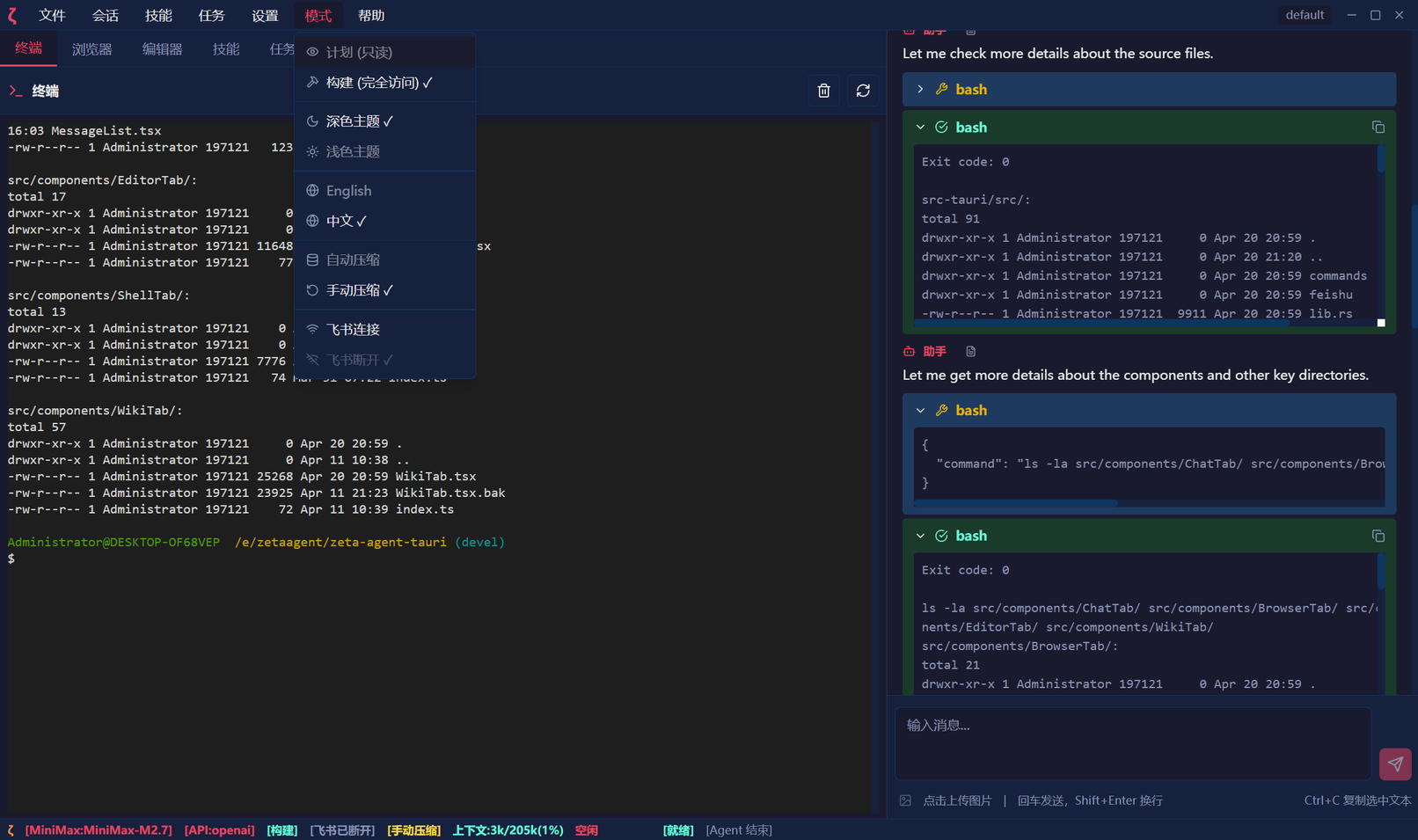
Personalized Settings

Zeta Agent supports rich personalized settings, allowing you to customize the interface and interaction experience according to your preferences.

  • Theme Switching - Supports light/dark mode, one-click switch, eye protection
  • Multi-language Interface - Supports Chinese, English, and other languages for different users
  • Flexible Configuration - Model parameters, proxy settings, and more adjustable anytime
  • Configuration Persistence - Your preferences saved automatically, ready to use out of the box
Personalized Settings

Ready to Get Started?

Download Zeta Agent and start your smart work journey. All features are completely free.

Download Now